Install the Holostep module in PrestaShop
The module connects PrestaShop to your Holostep account. First install the module, then configure the account ID.
Before you begin
Have the Holostep module ZIP for your store version and your Holostep account ID ready.
Installation steps
Get the module package
Keep the ZIP supplied by Holostep intact. If you do not have the package yet, send support your PrestaShop version so they can provide the appropriate release.
Open Module Manager
In the left sidebar of the back office, go to Improve → Modules → Module Manager. Find Upload a module at the top right.
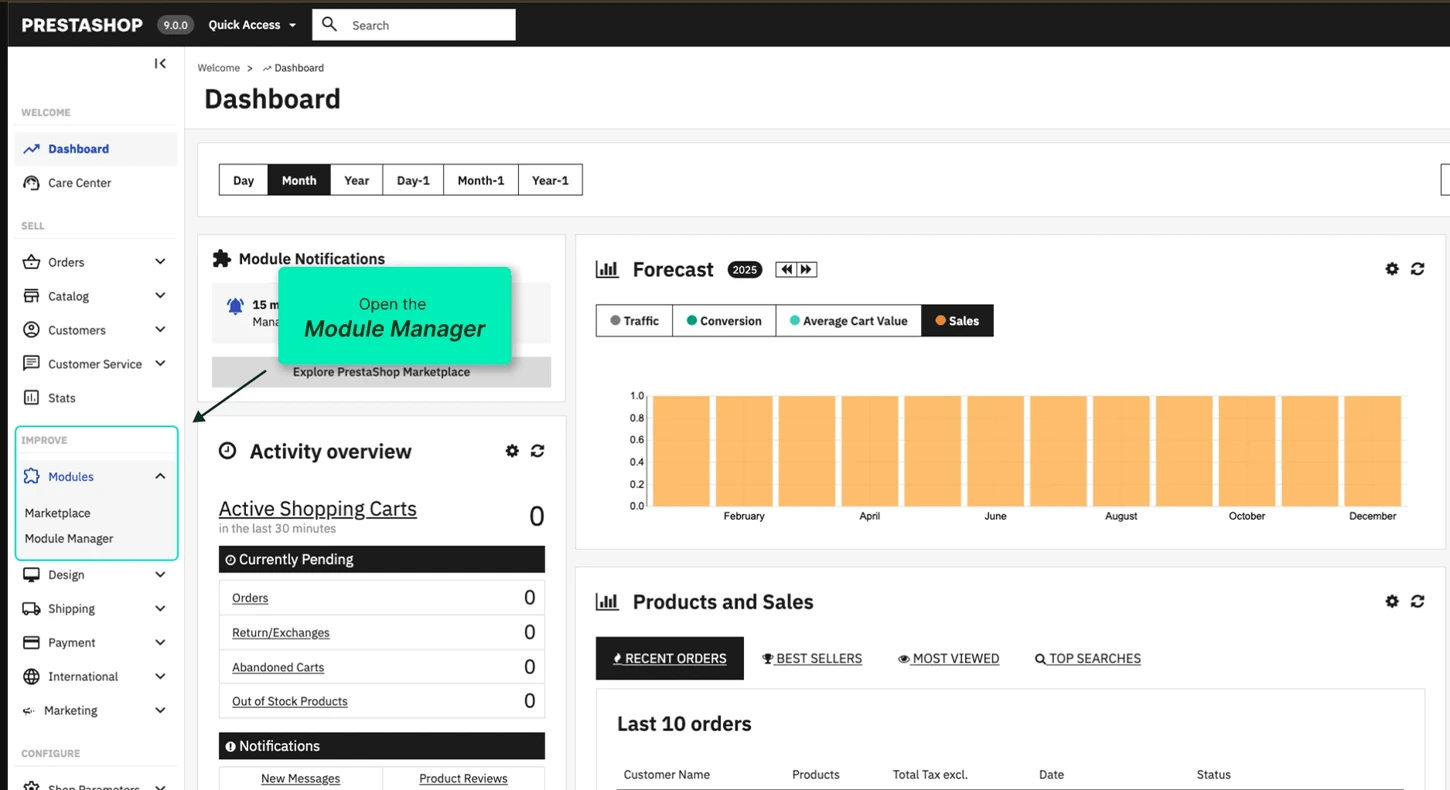
Module Manager in the PrestaShop sidebar. Upload the ZIP
Select the upload action, then drag in the ZIP or browse for the file. PrestaShop installs the module after upload. Wait for the installation confirmation.
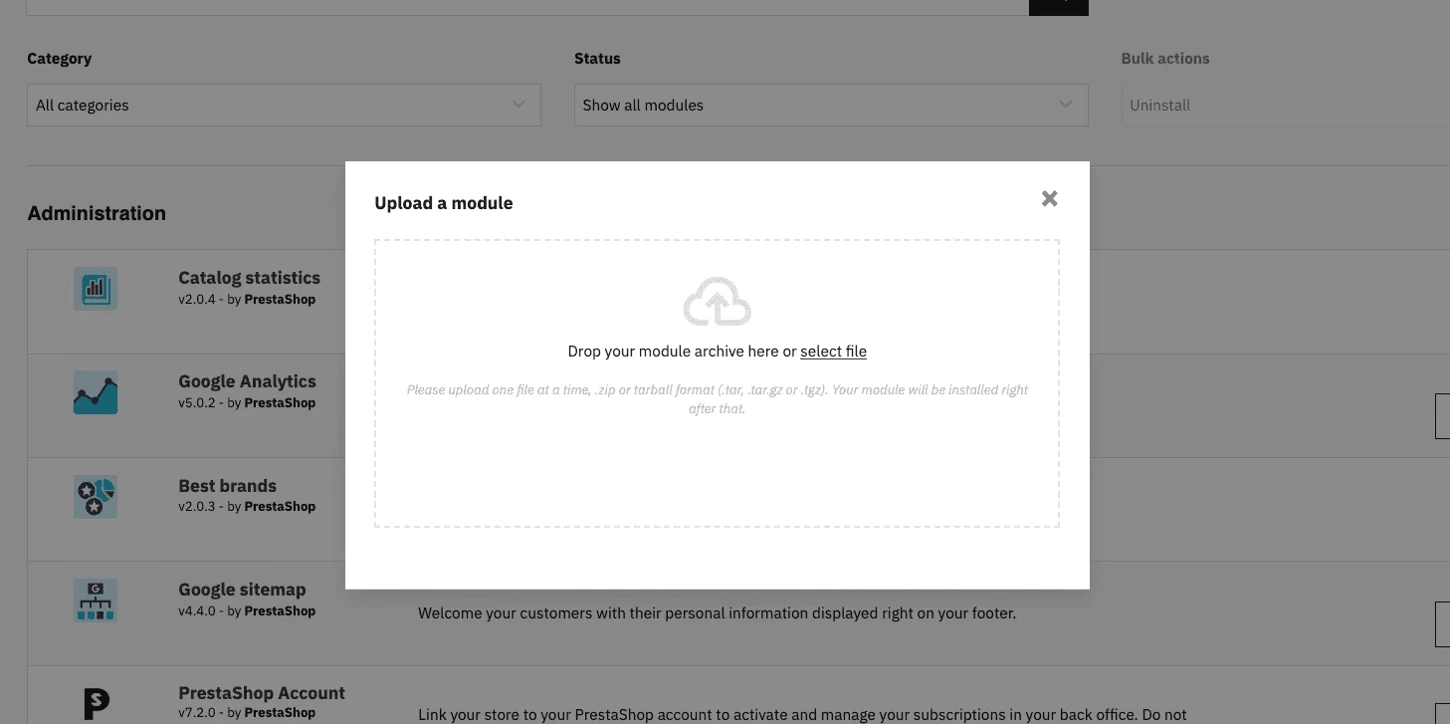
Drop the module ZIP in this area. Enter your account ID and save
After installation, select Configure. Enter the Account ID supplied for your Holostep account and select Save.
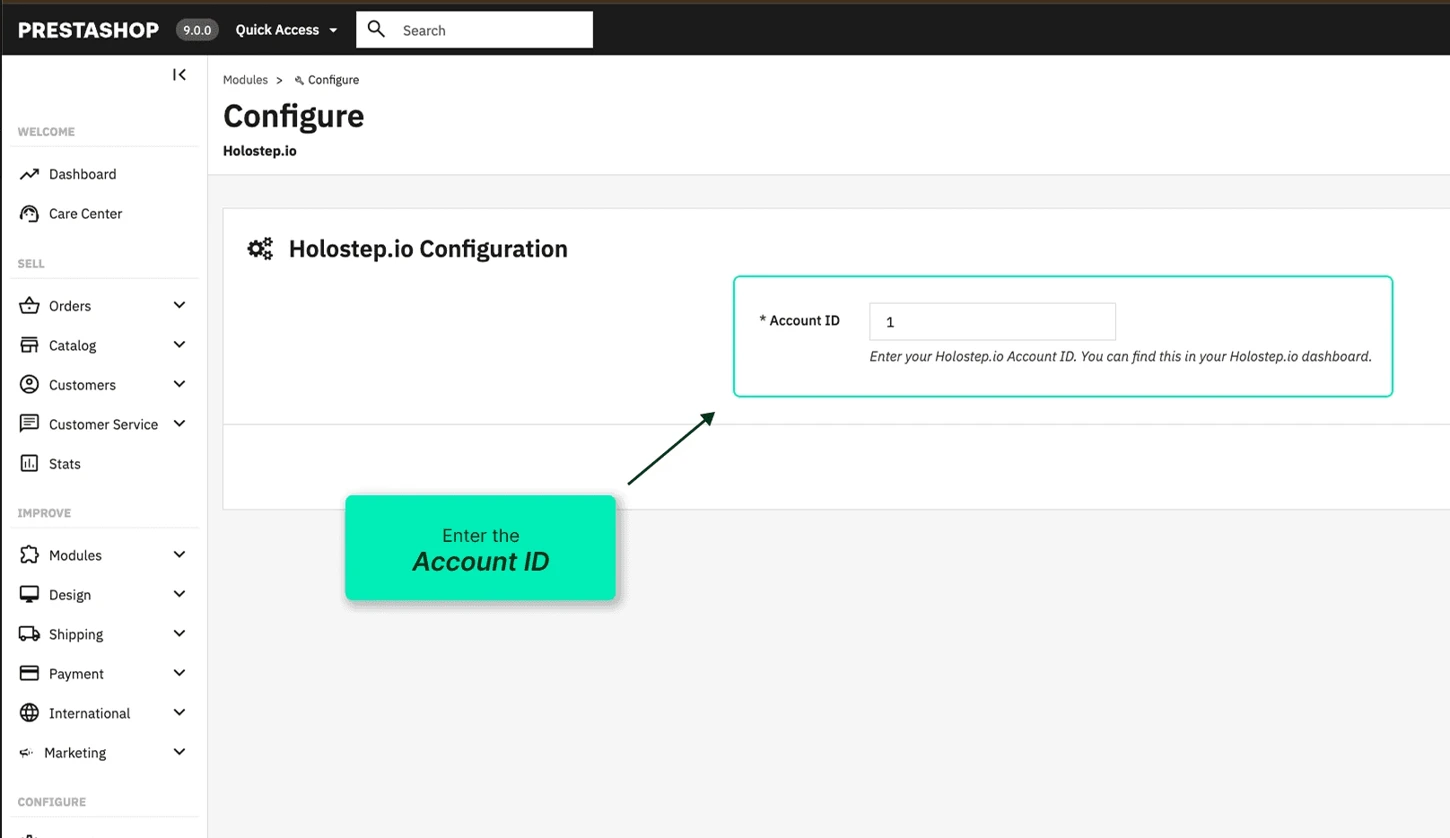
The account ID field in the Holostep module.
Check the result
Open the configured product in a new window. Check that the correct model loads and rotates with a mouse and touch. If AR is enabled for the product, try placing it in your space on a supported phone.
A listing in Module Manager confirms installation. Also open the intended product page. If the viewer is missing, check the saved account ID and the product’s model assignment.
Related links
See it with your own products.
Your customers compare several suppliers. Whoever shows them exactly what they’re looking for first starts with an advantage.
In a short call, we’ll show you how your own products would work with Holostep, and tell you the effort and the price.
- 15, 30 or 60-minute call in English
- No obligation
- We show it on your own products
- No IT project needed

Choose a 15, 30 or 60-minute slot.
Open in new tabLoading form…